CK444 Login: Access Your Account Fast

Every feature on CK444 - deposits, withdrawals, bonuses, live casino, sports betting - requires an active session. This page explains exactly how to sign in on any device, what to do if the login fails, and how to keep your account secure. The process takes under 30 seconds when you have your registered phone number and password ready.

How to Find the Login Button

On the CK444 official website, the Login button sits in the top-right corner of the header - visible on every page without scrolling. Next to it is the Register button. On mobile, the same header layout applies: both buttons are accessible immediately when you open the site in any browser.

If you use the Android APK or iOS PWA, the login screen appears automatically on first launch. After your first successful sign-in, the app remembers your session until you manually log out or clear the app data.

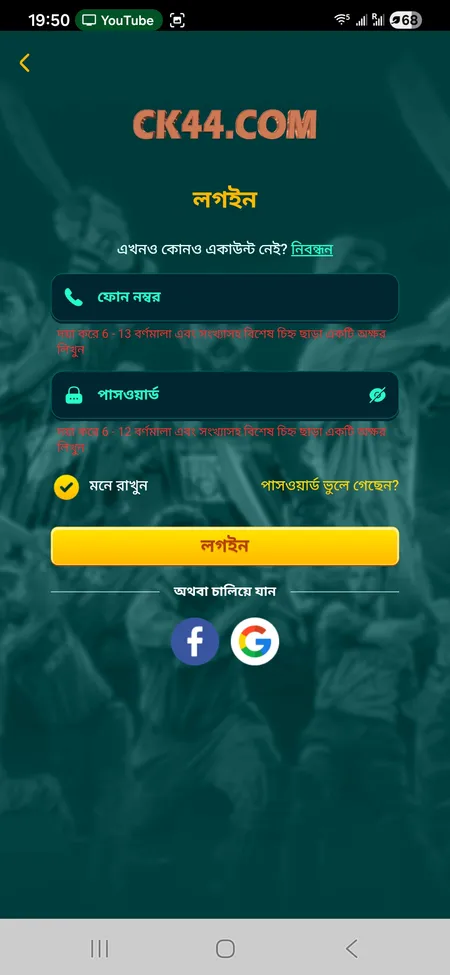
CK444 login form with phone and password fields

The login screen shows a phone number field, password field, Remember Me checkbox, Forgot Password link, and social login buttons for Facebook and Google.

Login Methods Available on CK444

CK444 supports three ways to sign in:

Method Details
Phone number 11-digit BD mobile number registered at sign-up
Facebook One-tap login linked to your Facebook profile
Google One-tap login linked to your Google account

The phone login requires your number in the field (6-13 characters accepted by the form) and a password of 6-12 characters mixing letters and digits. The Remember Me checkbox keeps your session active across browser restarts. Social logins via Facebook and Google skip the password entry entirely - useful if you registered through those channels.

Go to CK444 Login Page

Step-by-Step: Sign In with Phone Number

Follow these steps to log in to your CK444 account:

  1. Open the CK444 website or launch the app.
  2. Click or tap the Login button in the top-right header.
  3. Enter your registered 11-digit mobile number.
  4. Enter your password (6-12 characters, letters and numbers).
  5. Optionally tick Remember Me to stay logged in.
  6. Click the Login button to confirm.
  7. Wait 2-3 seconds for the system to authenticate and load your profile.

After successful login, your balance appears in the header and the profile icon becomes active. You can immediately navigate to Deposit, Withdrawal, Bonuses, or any game section.

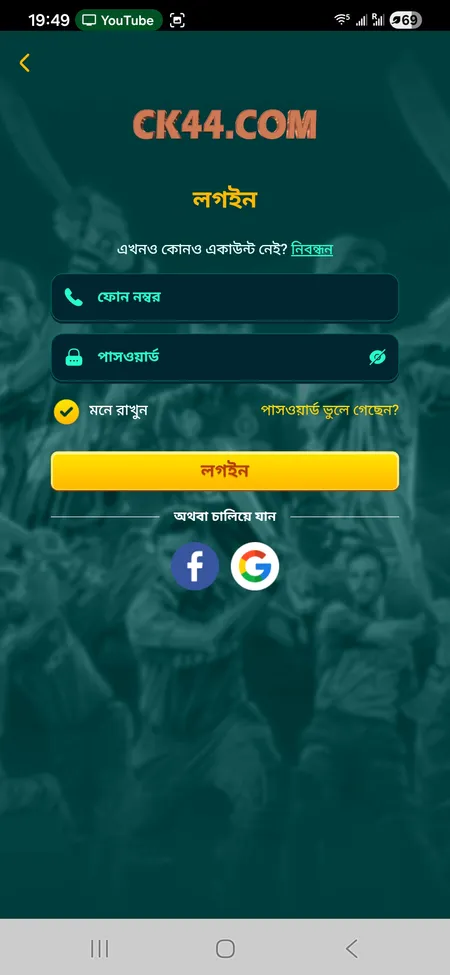
Alternative CK444 sign-in screen layout

A second login variant showing the same fields with slightly different styling - both versions work identically.

Logging In Through the Mobile App

The CK444 app for Android (APK, approx. 25 MB) and iOS (PWA via Safari) provides the same login options as the website. On Android, after installing the APK from the official CK444 site, you open the app and reach the login screen directly - no browser needed. The interface is optimised for smaller screens: larger tap targets, auto-fill support for saved credentials, and faster page transitions.

On iOS, adding the site to your Home Screen via Safari creates a PWA shortcut that behaves like a native app. The session persists between uses unless you clear Safari data or remove the shortcut.

Some Android builds support biometric login (fingerprint or Face ID) after your first manual sign-in - check your device settings if this option does not appear automatically.

Download CK444 App

What the Login Form Contains

Understanding each element of the form helps avoid mistakes:

  • Phone field - accepts 6-13 characters; enter your full BD number without country code prefix if the field is local-format
  • Password field - 6-12 characters; case-sensitive; mix of letters and digits required
  • Remember Me - keeps the session alive after closing the browser tab
  • Forgot Password? - link to the account recovery flow
  • Login button - submits credentials and starts authentication
  • Facebook / Google buttons - social auth paths that bypass the password field

CK444 uses SSL encryption on all login requests. Your credentials are transmitted securely and are never stored in plain text on your device or in browser history.

Password Recovery: Regaining Account Access

If you forget your password, use the Forgot Password? link on the login screen. The platform routes recovery through your registered mobile number. After submitting your number, you receive an SMS or the system prompts you through the support channel.

Alternatively, CK444 support handles account recovery 24/7. You can reach the team via:

  • Live chat on the website
  • Telegram: https://t.me/Ck44Ofc
  • WhatsApp or Facebook channels

When contacting support for password recovery, have your Member ID and registered phone number ready to verify ownership. Support resolves most login issues within 2-5 minutes according to the platform's stated response times.

The new password must follow the same format: 6-12 characters, combining letters and digits. Avoid using the same password as another platform.

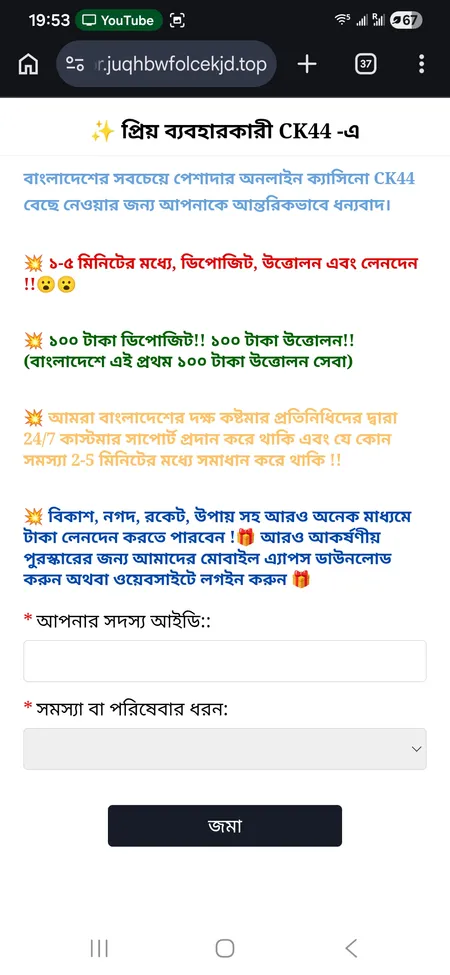
CK444 support page for login help

The support page includes a Member ID field, issue type selector, and direct links to WhatsApp, Facebook, and Telegram for fast login assistance.

Contact CK444 Support

Common Login Problems and How to Fix Them

Problem Likely Cause Fix
Wrong password error Typo or caps lock on Re-enter carefully; use Forgot Password if needed
Account not found Wrong phone number format Check you entered all 11 digits correctly
Page not loading Network issue or DNS block Switch to mobile data or use a VPN
App crashes on login Outdated APK version Download the latest APK from the official site
Social login fails Facebook/Google session expired Log out of social account and retry
Session expires quickly Remember Me not checked Tick the Remember Me checkbox before signing in

If none of these steps resolve the issue, contact support directly. The team operates around the clock in both Bangla and English.

Accessing Features After Login

Once signed in, the full platform opens. The header shows your current BDT balance. From the profile menu you can reach:

  • Account Record - full transaction and activity history
  • Bet Record - detailed log of all wagers placed
  • Profit and Loss - summary of net results by period
  • Deposit - add funds via bKash, Nagad, Rocket, or Upay (minimum 100 BDT)
  • Withdrawal - request a payout to linked e-wallets (100-25,000 BDT per transaction)
  • Messages - platform notifications and bonus alerts
  • 24/7 Support - direct link to the support channel

The Rewards Center (accessible from the bottom nav or side menu) becomes live after login, showing available coupons, rebate balances, and VIP level status.

Explore the full CK444 game catalog to find slots, live casino tables, crash games, and sports betting - all accessible immediately after signing in.

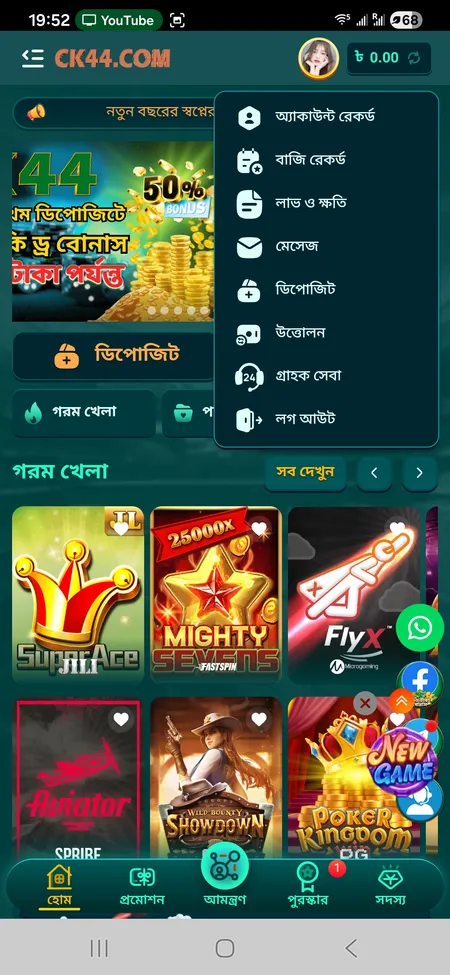
CK444 home screen with account menu open

After login the account menu displays balance, deposit, withdrawal, bet history, and support links in one panel.

Signing In on Different Devices

CK444 supports concurrent access from multiple devices. You can be logged in on a desktop browser and an Android phone simultaneously. Each session is independent - closing one does not affect the other.

On desktop: Use any modern browser (Chrome, Firefox, Edge). The full interface including all game categories and the side navigation menu is available.

On mobile browser: The responsive layout adapts to screen size. All core functions - login, deposit, games, withdrawal - work without installing anything.

On Android APK: Download the APK directly from the CK444 website (not third-party stores). After installation, enable installs from unknown sources in your Android settings. The app is approximately 25 MB.

On iOS (PWA): Open the CK444 site in Safari, tap the Share button, and select Add to Home Screen. The resulting icon launches the site in full-screen mode with session persistence.

Play on CK444 Now

Account Security After Login

A few practical steps protect your account long-term:

  • Use a unique password not shared with email or other platforms
  • Do not save your password on shared or public computers
  • Avoid logging in over public Wi-Fi without a VPN
  • Log out manually after each session on shared devices
  • Never share your login credentials or Trx-ID with third parties

CK444 warns explicitly that official deposits only go through the platform interface. No legitimate CK444 representative will ask for your password via Telegram, Facebook, or WhatsApp. If someone does, it is a scam attempt.

For questions about your account or to report suspicious activity, visit the CK444 homepage and use the live chat or official Telegram channel.

CK444 will never ask for your password via Telegram, WhatsApp, or Facebook. All official communication goes through the platform interface or the verified Telegram channel at t.me/Ck44Ofc.

FAQ: CK444 Login

What do I enter in the phone field?

Enter your registered 11-digit Bangladesh mobile number. The field accepts 6-13 characters, so do not add spaces or country code prefixes unless the form specifically asks.

I forgot my password - what is the fastest way to recover access?

Tap Forgot Password? on the login screen and follow the SMS recovery steps. Alternatively, contact CK444 support via Telegram (t.me/Ck44Ofc) or live chat - they resolve most cases within 2-5 minutes.

Can I log in with Facebook if I registered with a phone number?

Only if you linked your Facebook account during or after registration. If you signed up with a phone number only, use that phone number and password to log in.

Why does my session expire so quickly?

The session times out faster when Remember Me is not checked. Tick that option before clicking Login to extend your session across browser restarts.

The login page is not loading - what should I do?

Switch from Wi-Fi to mobile data (or vice versa). If the site is blocked by your ISP, try a VPN. Make sure you are accessing the official CK444 domain and not a phishing copy.

I get an error saying my account is not found even though I registered - why?

Double-check that you are entering the exact phone number used at registration, including all 11 digits. If the number is correct, contact support with your Member ID.

Is it safe to use Remember Me on my personal phone?

Yes, on a personal device this is safe. Avoid using Remember Me on shared, public, or work devices where others may access your browser.

How do I log out from all devices at once?

Go to the profile menu after logging in and select the Logout option. For a full session reset on all devices, contact support - they can clear all active sessions linked to your account.

Can I log in while my deposit is being processed?

Yes. Login and payment processing are independent. You can monitor your deposit status in the Account Record section while it is being confirmed.

What is the minimum age to have a CK444 account?

The platform requires users to be 18 or older. Age confirmation is part of the registration agreement, and the platform enforces this as a condition of account use.

Your CK444 account gives you access to live casino, slots, sports betting, crash games, and daily bonuses - all in Bangladeshi Taka. Sign in and start playing today.